SQL: queries, grouping, null values and injection
Table creation and constraints, select, inner and outer joins, group by and having, subqueries, three-valued logic and NOT IN with nulls proved, views, prepared statements against SQL injection.
SQL is the language for talking to every relational database, from the one in a phone to those of banks. It was born at IBM in the 1970s and is an international standard. In this lesson we look at queries with selection, join and ordering, grouping, subqueries, the null value and three-valued logic with the proof of a classic mistake, views, and how to defend against SQL injection. The examples use the Students, Courses and Exams schema of the lesson on normalisation.
Defining and modifying data
Tables are created by declaring columns, types and constraints:
CREATE TABLE Exams (
  number INT REFERENCES Students(number),
  code   CHAR(6) REFERENCES Courses(code),
  mark   INT CHECK (mark BETWEEN 18 AND 30),
  date   DATE NOT NULL,
  PRIMARY KEY (number, code)
);
Data is modified with INSERT, UPDATE and DELETE, and the DBMS rejects operations that violate the constraints (lesson on the relational model).
Queries
The basic form is SELECT (what to show) FROM (from which tables) WHERE (under which conditions), corresponding to projection, join and selection in relational algebra:
SELECT s.surname, c.title, e.mark
FROM Exams e
JOIN Students s ON s.number = e.number
JOIN Courses c  ON c.code = e.code
WHERE e.mark >= 28
ORDER BY e.mark DESC, s.surname;
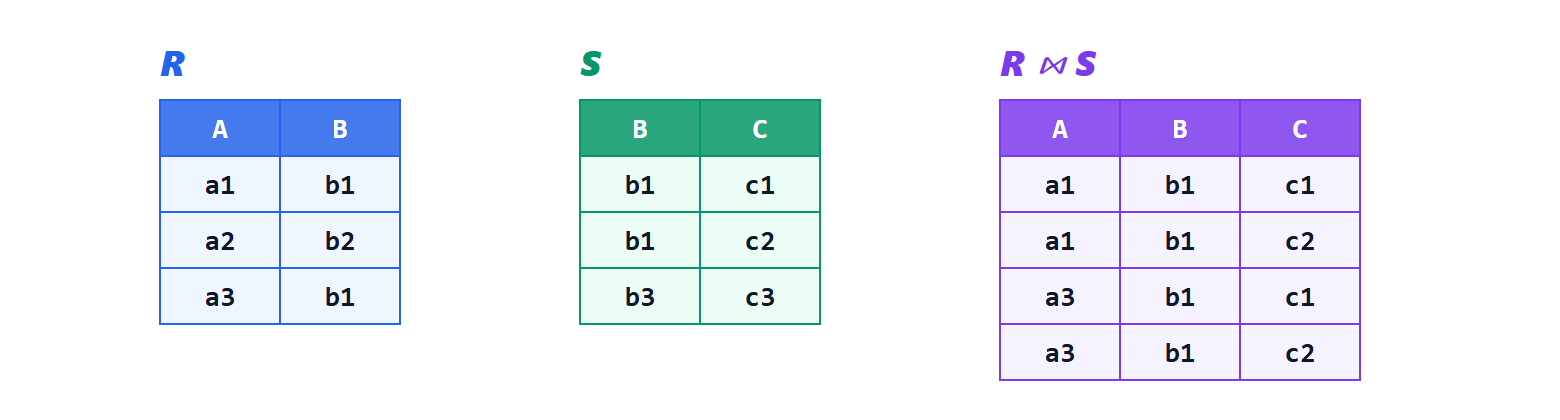
The inner join (JOIN) keeps only the rows that find a match. The outer join (LEFT JOIN) keeps all the rows of the left table, filling the other table’s columns with nulls when there is no match: it is used, for instance, to list students without exams too.
Grouping
Aggregate functions (COUNT, SUM, AVG, MIN, MAX) summarise groups of rows. GROUP BY forms the groups, HAVING filters them after aggregation:
SELECT s.number, s.surname, AVG(e.mark) AS average, COUNT(*) AS exams
FROM Students s JOIN Exams e ON e.number = s.number
GROUP BY s.number, s.surname
HAVING COUNT(*) >= 5
ORDER BY average DESC;
WHERE filters rows before grouping them, HAVING filters groups after: the condition on the average goes in HAVING, because the average exists only after grouping.
Subqueries
A query can contain another: “the students who have a mark above the average of all marks”.
SELECT DISTINCT s.surname
FROM Students s JOIN Exams e ON e.number = s.number
WHERE e.mark > (SELECT AVG(mark) FROM Exams);
With IN, EXISTS and NOT EXISTS membership and existence are expressed, for instance the students who have never taken a certain exam.
The null value and three-valued logic
NULL represents an unknown or non-existent value: a mark not yet recorded, a middle name that does not exist. A comparison with a null value is neither true nor false, but unknown (U): SQL uses a three-valued logic.
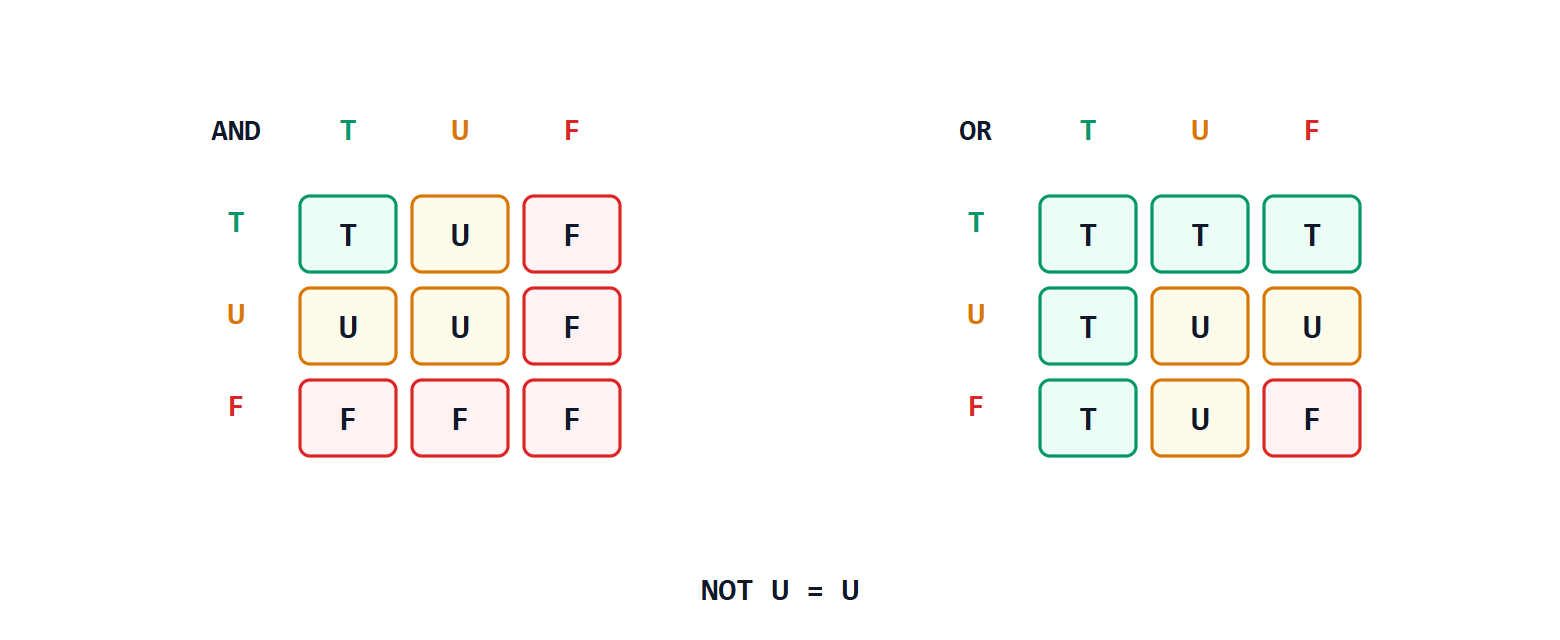
The WHERE clause keeps only the rows for which the condition is true: those with a false or unknown result are discarded.
Theorem. If the subquery contains at least one null value, the condition x NOT IN (subquery) is never true, and the query returns no rows.
Proof. x NOT IN (v1, ..., vn) is equivalent to x <> v1 AND ... AND x <> vn. If one of the values is null, the corresponding comparison x <> NULL is U. An AND containing a U term can be F (if another term is false, i.e.  is in the list) or U (if all the others are true), but never T, as the table shows. So no row satisfies the condition. ∎
It is one of the most treacherous mistakes in SQL: a query that “finds nothing” without raising any error. It is avoided by using NOT EXISTS, which does not have this problem, or by explicitly excluding nulls. For the same reason the null test is written IS NULL, not = NULL, which is always U. Aggregate functions also ignore nulls: COUNT(*) counts the rows, COUNT(mark) only those with a non-null mark, and AVG averages only the values present.
Views
A view is a query that is given a name and used like a table:
CREATE VIEW Averages AS
SELECT number, AVG(mark) AS average FROM Exams GROUP BY number;
Views simplify repeated queries, hide the complexity of the schema and are used to grant limited permissions: a user can have access to the view of averages without seeing the individual marks.
SQL injection
Building a query by pasting in text written by the user is the most classic security mistake on the web. If a program executes "SELECT * FROM Users WHERE name = '" + name + "'" and someone types as name ' OR '1'='1, the condition becomes always true and returns all users; with variants whole tables can be read or deleted. The defence is always to use prepared statements with parameters:
SELECT * FROM Users WHERE name = ?the value is passed separately and the DBMS treats it as data, never as code. To this are added the principle of least privilege (the application connects with a user that can do only what it needs) and validation of input data.