Creating a Custom Block in WordPress
a simple method for creating custom Gutenberg blocks in WordPress.
https://www.electronics-engineering.com/en/creating-a-custom-block-in-wordpress/

The new WordPress Gutenberg editor lets you create posts by inserting blocks. There are already plenty of custom blocks where you can insert paragraphs, images, documents and various embedded code, for example YouTube videos.
The question that comes naturally is the following: is it possible to create a custom block that always runs the same piece of code? The answer is of course yes! and that is why I created this post!
First of all you need to install the block lab plugin.
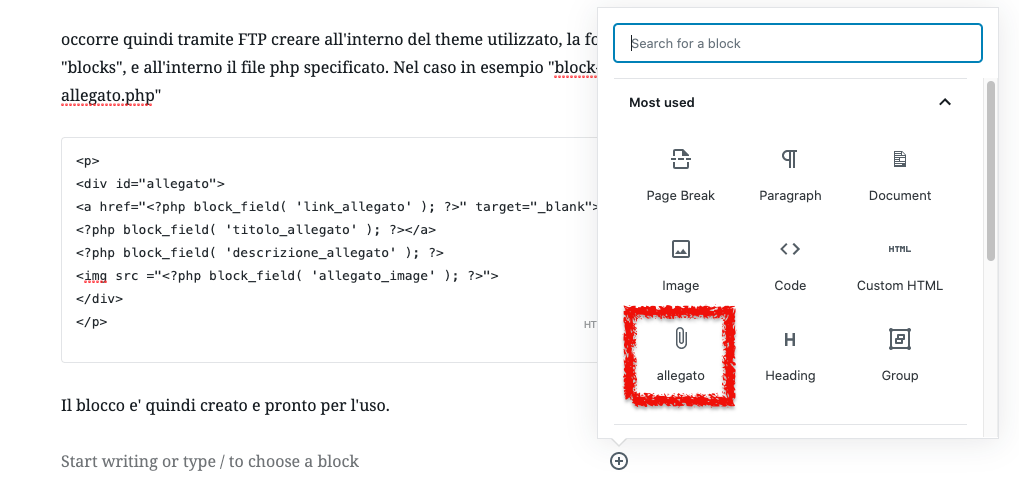
After that you need to create a new block and give it a name, for example “allegato”.
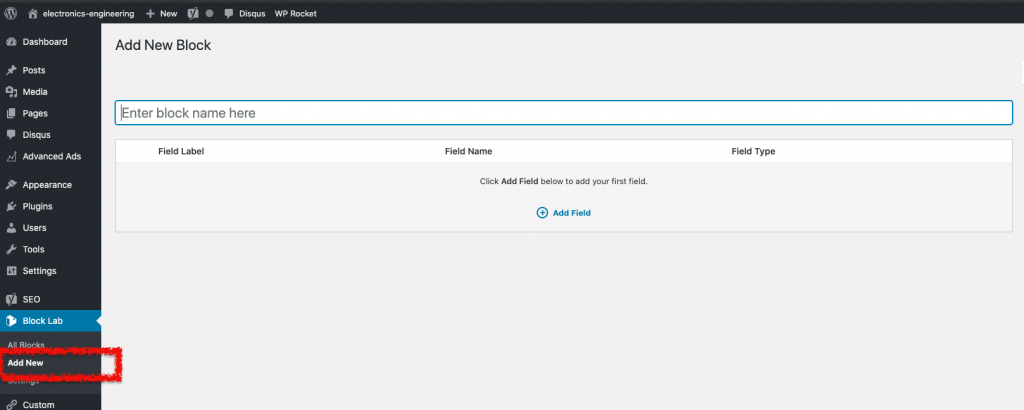
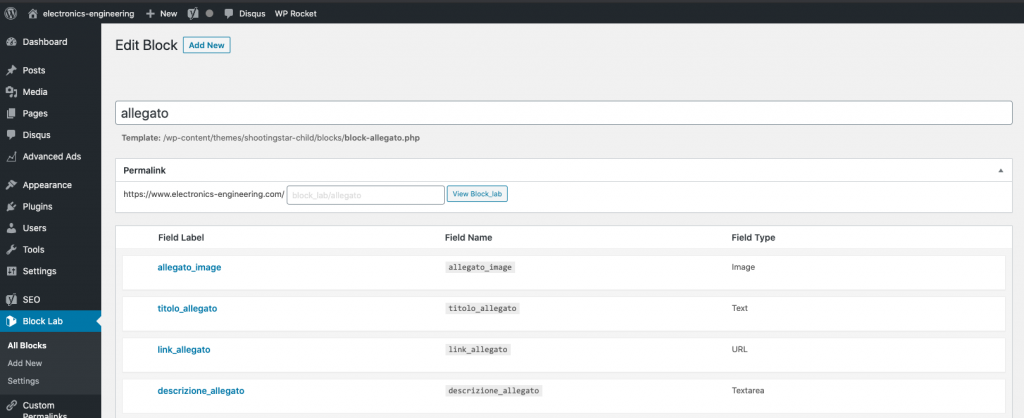
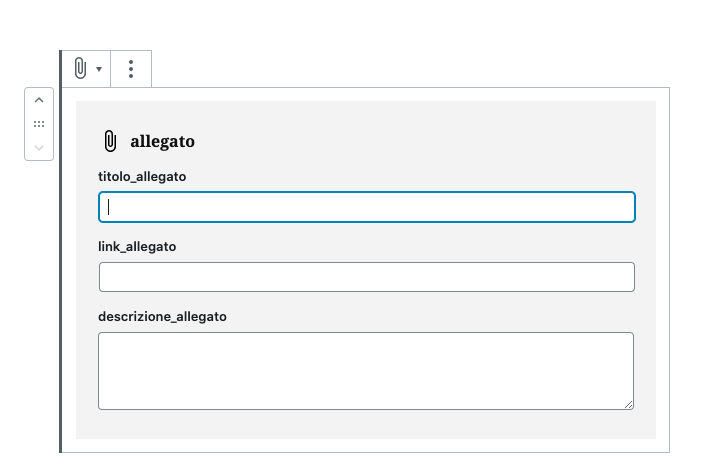
Then start creating the fields that are to be used inside the block.
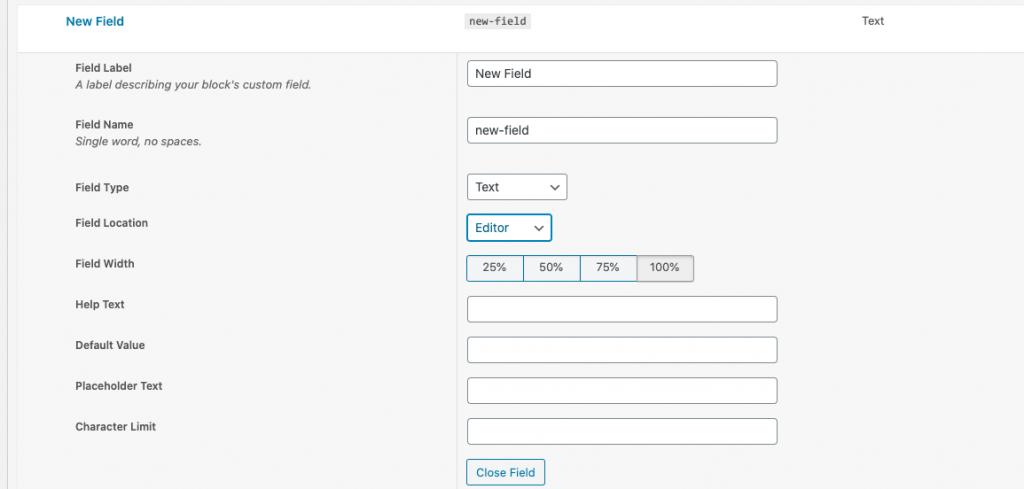
For each field you need to specify a name, a type, the location and so on, as shown in the following image.
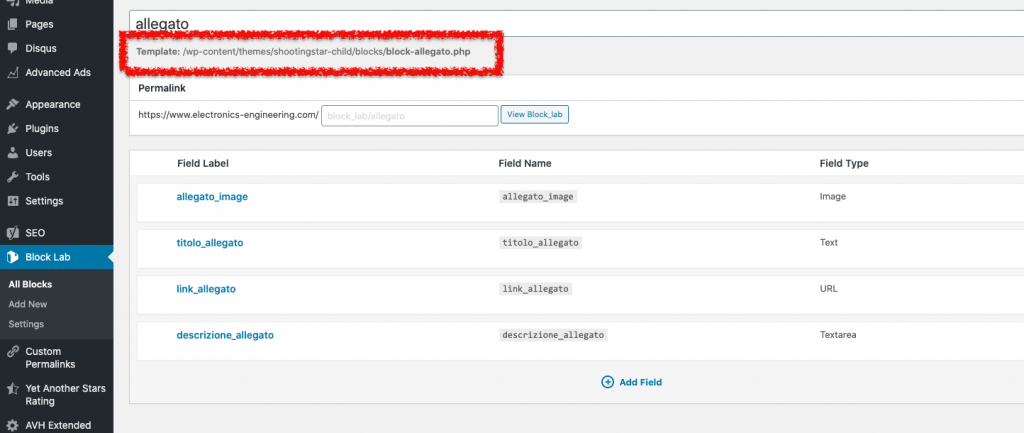
At this point, to finish, you need to create the template that calls the content of the block fields through php code.
The location where to put this template is already specified in the Block lab form of the newly created block.
This is an example of a possible template
<p>
<div id="allegato">
<a href="<?php block_field( 'link_allegato' ); ?>" target="_blank">
<?php block_field( 'titolo_allegato' ); ?></a>
<?php block_field( 'descrizione_allegato' ); ?>
<img src ="<?php block_field( 'allegato_image' ); ?>">
</div>
</p>
The file has to be put, via FTP, inside the WordPress theme in use. You need to create the “blocks” folder if it is not already there.
We can then create the following CSS code, which we can integrate into the theme.
#allegato {
	padding: 1em;
	border: 1px dashed #2f6fab;
	color: black;
	background-color: #f9f9f9;
	line-height: 1.1em;
}
The block is now created and ready to use.
It is best to create this template inside a child theme so that the file is not overwritten after a possible update. To create one, you can refer to this article.
Happy block creation to everyone!




Hi, I am the author of “Creare un Blocco Personalizzato in WordPress”. Questions, doubts, error reports and requests for more detail are all welcome: write them below and I will answer. You can also rate the page with the stars at the top of the article.