Virtual memory: pages, page table and TLB
Virtual and physical addresses, protection and sharing, multi-level page tables, the TLB, page faults, thrashing, copy-on-write and microcontrollers.
Dozens of programs run together on a computer, and each behaves as if it had all the memory to itself, starting from address zero, unable to read or corrupt the others’. This is the effect of virtual memory: the addresses used by programs are not the physical DRAM addresses, but are translated by the hardware on every access, under the control of the operating system. In this lesson we cover pages, the page table, the TLB and what happens when data is not in memory.
Virtual and physical addresses
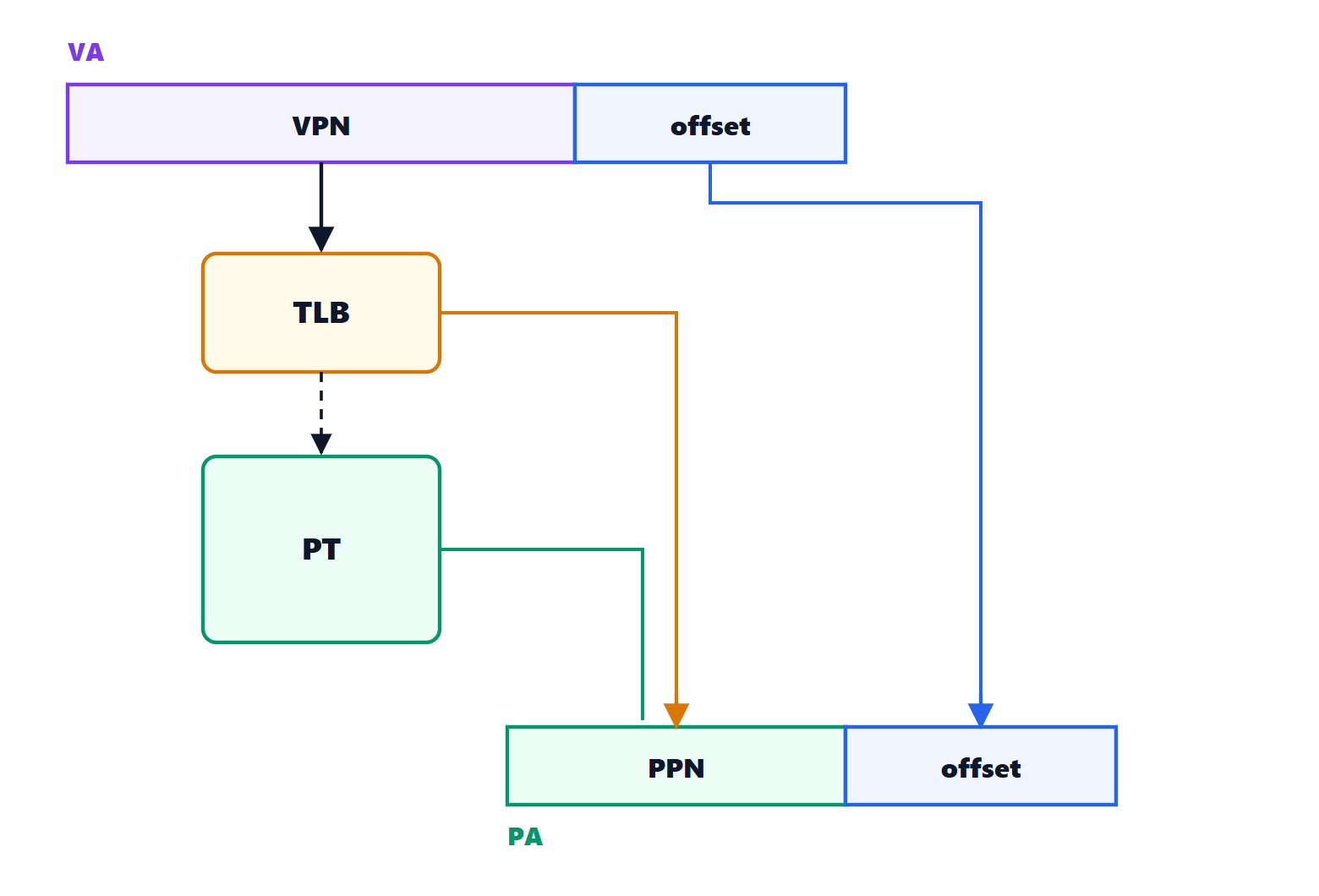
Each process’s virtual address space and the physical memory are divided into blocks of equal size: pages (typically 4 KiB). A virtual address splits into
- the virtual page number (VPN), the high bits;
- the offset within the page, the low 12 bits (
 ).
).
Translation replaces the virtual page number with a physical page number (PPN) and leaves the offset unchanged.
What it gives
- Isolation and protection: each process has its own table, and cannot even name the pages of others. Each entry carries permissions (read, write, execute, operating-system-only access): writing to a code page or reading a kernel page raises an exception.
- Apparently contiguous memory: a 1 MiB array is contiguous in virtual addresses even if its physical pages are scattered.
- Sharing: libraries used by many programs are in memory only once, mapped into everyone’s virtual space.
- More memory than physically present: rarely used pages can live on disk and come back into memory when needed.
The page table
The operating system keeps for each process a page table in memory: for each virtual page, if present in memory, the physical page number and the permissions.
The size problem. With 48-bit virtual addresses and 4 KiB pages there are  virtual pages; a flat table with 8-byte entries would take
  GiB per process. But a process uses only a small part of its space. So multi-level tables are used (four levels in 64-bit x86 and ARM processors): the page number is split into four groups of 9 bits, each indexing a 512-entry table that points to the next-level table, and the tables for unused regions simply do not exist.
The TLB
This way, however, every memory access would need four more to walk the tables. The solution is a small cache dedicated to translations, the TLB (Translation Lookaside Buffer), with a few dozen or hundred associative entries. Thanks to locality, more than 99% of translations find it already there. Only on a miss does the hardware (or the operating system, in some architectures) walk the tables and load the entry into the TLB.
When the operating system switches from one process to another it changes the active page table (a register holding its address), and the previous process’s TLB entries must not be used: either the TLB is flushed, or each entry carries a process identifier.
The page fault
If the table entry says the page is not in memory, the hardware raises an exception, the page fault, and hands control to the operating system, which:
- finds a free physical page, or frees one by writing a rarely used page to disk (if it was modified);
- reads the requested page from disk;
- updates the table and resumes the interrupted instruction, which succeeds this time.
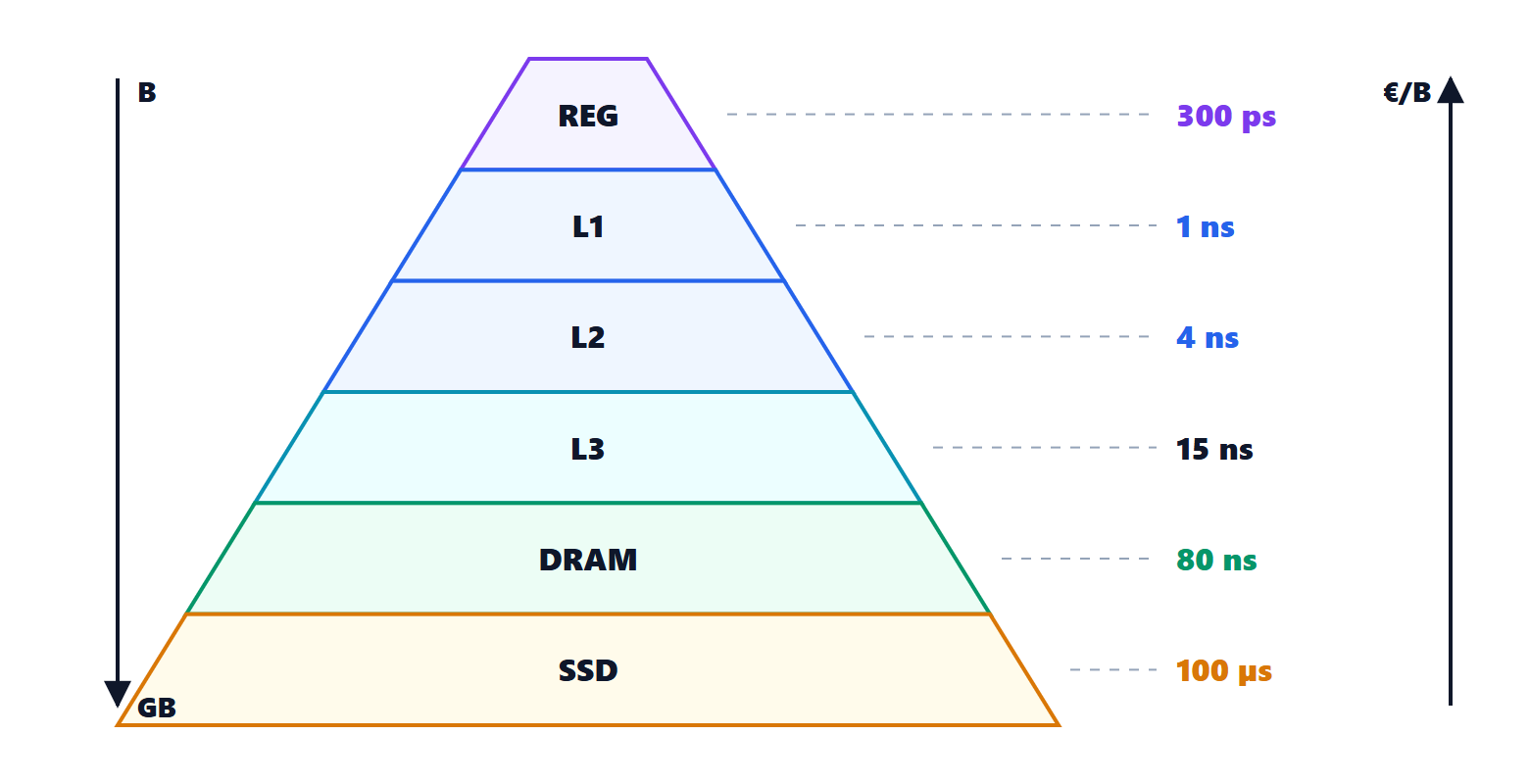
Reading from an SSD takes about 100 µs, hundreds of thousands of clock cycles: an occasional page fault goes unnoticed, but if programs use more memory than is physically present and pages are constantly swapped with the disk (thrashing) the system becomes extremely slow.
The same mechanism, used on purpose, enables very useful tricks: the pages of an open file are loaded only when read (memory-mapped files); after a fork() parent and child share pages until one of them writes to one, and only then is it copied (copy-on-write).
And in microcontrollers?
Small microcontrollers have no virtual memory: a single program, physical addresses, and at most a memory protection unit (MPU) forbidding access to some regions. Virtual memory is needed where several untrusted programs run together, that is in systems with a full operating system such as Linux, Windows, Android.